
02 / Services — select to explore
Four crafts. Each with its own shape.
Select a service below — the content, visual, capabilities, and process change with it. Everything connects back to one system.
/ 01 — Websites
Not a brochure. A business tool.
Your website should answer questions, route the right people to contact you, and give search systems clean material — while loading fast on any device.
- StrategyOffers, audiences, and what each page must do.
- UX + UIClear paths, calm hierarchy, editorial design.
- Design + developmentAccessible, semantic, hand-built front end.
- ResponsiveDesigned mobile-first, verified across breakpoints.
- IntegrationsForms, booking, and data flows scoped per project — confirmed during mapping.
- Performance + launchOptimized assets, metadata, structured data, handover docs.
| Hero | Who you are, who it’s for, one action. |
|---|---|
| Proof | Work composed editorially — no filler grids. |
| Process | How we’ll work, in plain steps. |
| Contact | One short path to start. |
fig. W-01 — every page earns its place; structure before surface.

/ 02 — LCO
LCO helps businesses improve visibility across modern search and AI answers.
“What’s a reliable HVAC company near me?”
The goal: improve your digital presence so search and AI systems can better understand who you are, what you do, where you operate, who you serve, and what you’re relevant for — and consider you eligible to surface.
Business identity, consistent everywhere.
Services, defined without jargon.
Service area & location relevance.
Audiences & intent matched.
Topics you can credibly answer.
Potential LCO work can include
- Search intent — what customers actually ask
- Semantic content — answers, not keyword stuffing
- Entity clarity + business information consistency
- Structured data + machine-readable information
- Location relevance + topical authority
- Website architecture + AI-search discoverability
/ 03 — Automation
From manual chasing to quiet follow-through.
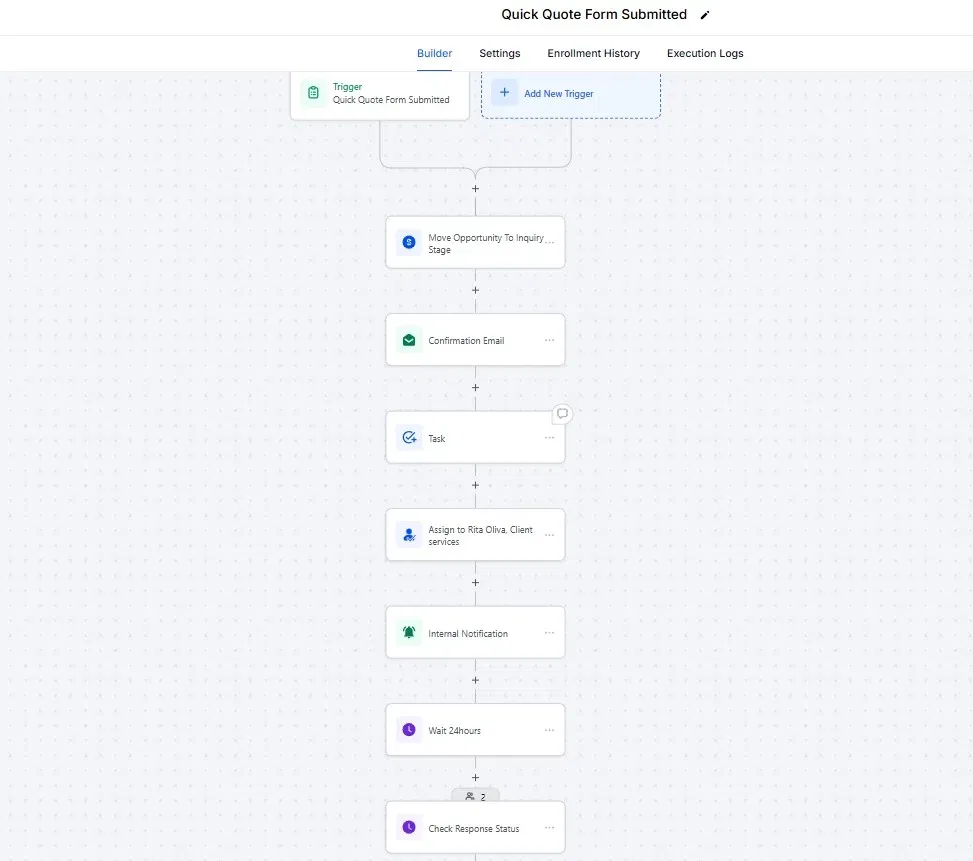
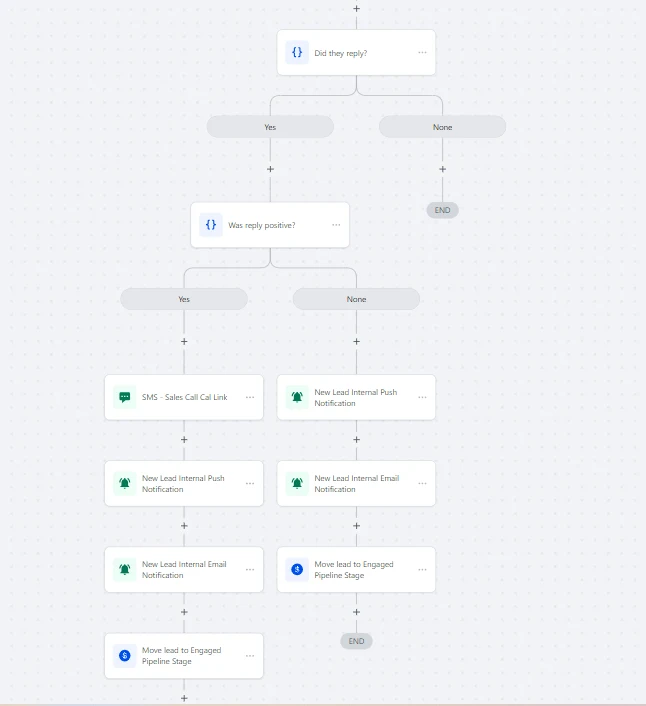
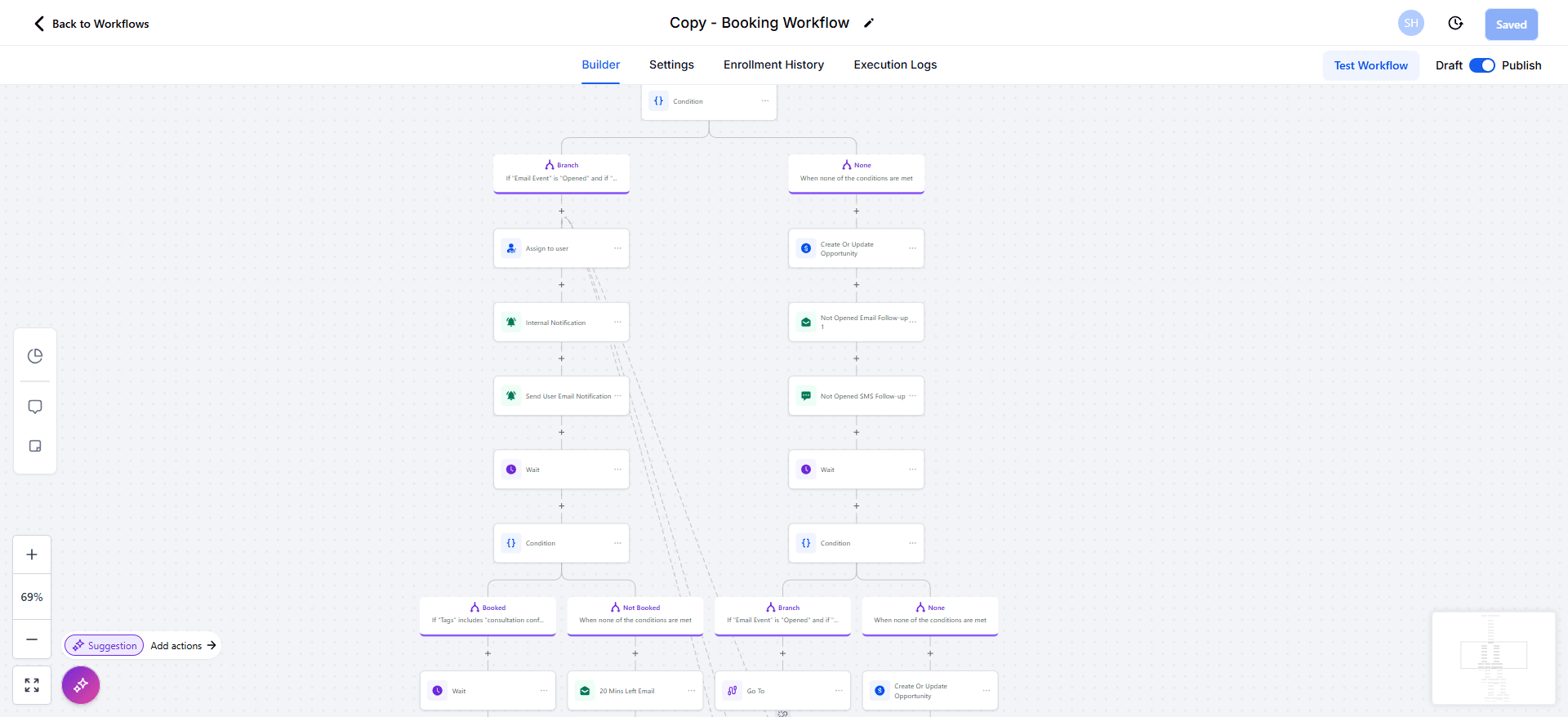
Unretouched build screenshots (client details withheld). Full series → case study P/03 →
Example workflows
- Lead handlingInstant acknowledgement + routing to the right place.
- Follow-upTimed check-ins until booked or closed.
- Forms + CRMSubmissions captured, organized, searchable.
- Notifications + data movementThe right person knows, records stay current.
- Internal processesBookings, reminders, handoffs without busywork.
Honest scope
Automations are scoped to tools you already use. Specific integrations are confirmed during mapping — no assumed stack, no shelfware. If a workflow shouldn’t be automated, I’ll say so.
/ 04 — AI voice agents
Every call answered. Calmly.
After hours, busy line, or overflow.
Answers in your voice and scope.
Question, booking, or urgency — classified.
Answers from approved knowledge only.
Message, booking request, or human handoff.
Caller: “Do you handle emergency repairs on weekends?”
Agent: “Yes — I can take your details and have Oluwafemi confirm a window within the hour. What’s the address?”
Illustrative only — behavior is defined per business during scoping.
- Answering questionsFrom an approved knowledge base you control.
- Capturing informationName, need, location, callback — structured.
- Routing callsUrgent to you, routine to message or booking.
- Predefined workflowsOnly flows actually designed and tested — nothing claimed beyond what’s built.
- Connecting to systemsScoped to your booking, records, or notifications where feasible.
How they connect — the signature system
Six moves, one thread.
Each service is strong alone. Together they form a single system — drawn here exactly as it would be mapped for a business.